 MyArtToolsLite
 $1.99
$1.99
IMPORTANT: THIS APPLICATION is built for MAC OS.
HELP
This is a very simple application that does one thing: It displays a directory of images using a scroll-bar, or frame-by-frame buttons.
- Opening An Image Directory:
- In the File Menu select "Select Directory".
- In the window that opens, navigate to a directory of images and click on "Open".
- TThe first alphabetically sorted image will appear, and dragging the scroll-bar will cycle through the rest of the images.
- Setting Up Your Image Directory:
- The specific list of supported image formats is dependent on the version of the Mac operating system but includes many standard formats such as TIFF, JPEG, GIF, and PNG among others. These image formats also test successfully on MacOS 13.5.2: PDF, JP2, SVG, EXR, and HEIC.
- Sequenced images in a selected directory should use a standard naming format. Such as:img_00.png, img_01.png, img_02.png, img_03.png, img_04.png, img_05.png, img_06.png, img_07.png, img_08.png, img_09.png, img_10.png.NOTICE the 0 in front of numbers 0 thru 9, this insures that the images will sort as an alphabetically correct numbered sequence. ANOTHER EXAMPLE:seq4c_120.png, seq4c_121.png, seq4c_122.png, seq4c_123.png, seq4c_124.png, seq4c_125.png, seq4c_126.png, seq4c_127.png, seq4c_128.png, seq4c_129.png, seq4c_130.png, seq4c_131.png, seq4c_132.png, seq4c_133.png, seq4c_134.png
- All images will resize to the application window while maintaining their orignal aspect ratio.
- Resizing the MyArtSlider application window will automatically resize an image while maintaining the original aspect ratio.
- For this app to work successfully, only supported image files can be in the chosen directory. If any unsupported files are in the directory, such as audio video or text files, they have to be removed. Please know, you will be alerted with the name of the unsupported file, like this:
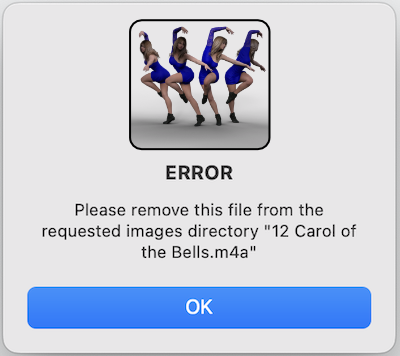 Select "OK" in the Alert Window, and the app will close. Remove the unsupported file from the directory and reopen the app to continue.
- Sometimes hidden files may be in the folder. Type Command Shift Period (⌘ Shift .) and hidden files will appear. Remove them to continue.
- Non-sequential images of varying sizes work fine as well. They will be sorted and displayed alphabetically by the slider.
- For convenience, the text box on the bottom of the MyArtSlider app shows the name of the current displaying image. This text can be copied (⌘ C) and pasted externally, should the need arise.
I built this app to proof animation sequences for video and also to rotate 3D rendered still-image sequences that I use in sculpting. As a helper app I thought this might be useful for others that have similar needs; so, I formalized the interface and functionality to provide a more professional presentation.
This app supports full screen in both portrait and landscape mode on any size monitor.